
Reading your audience: data strength and field coverage
The audience Overview tab tells you how much advertising data we found for the people in your audience. More data means a better chance the ad platforms can match and reach them.
Data strength
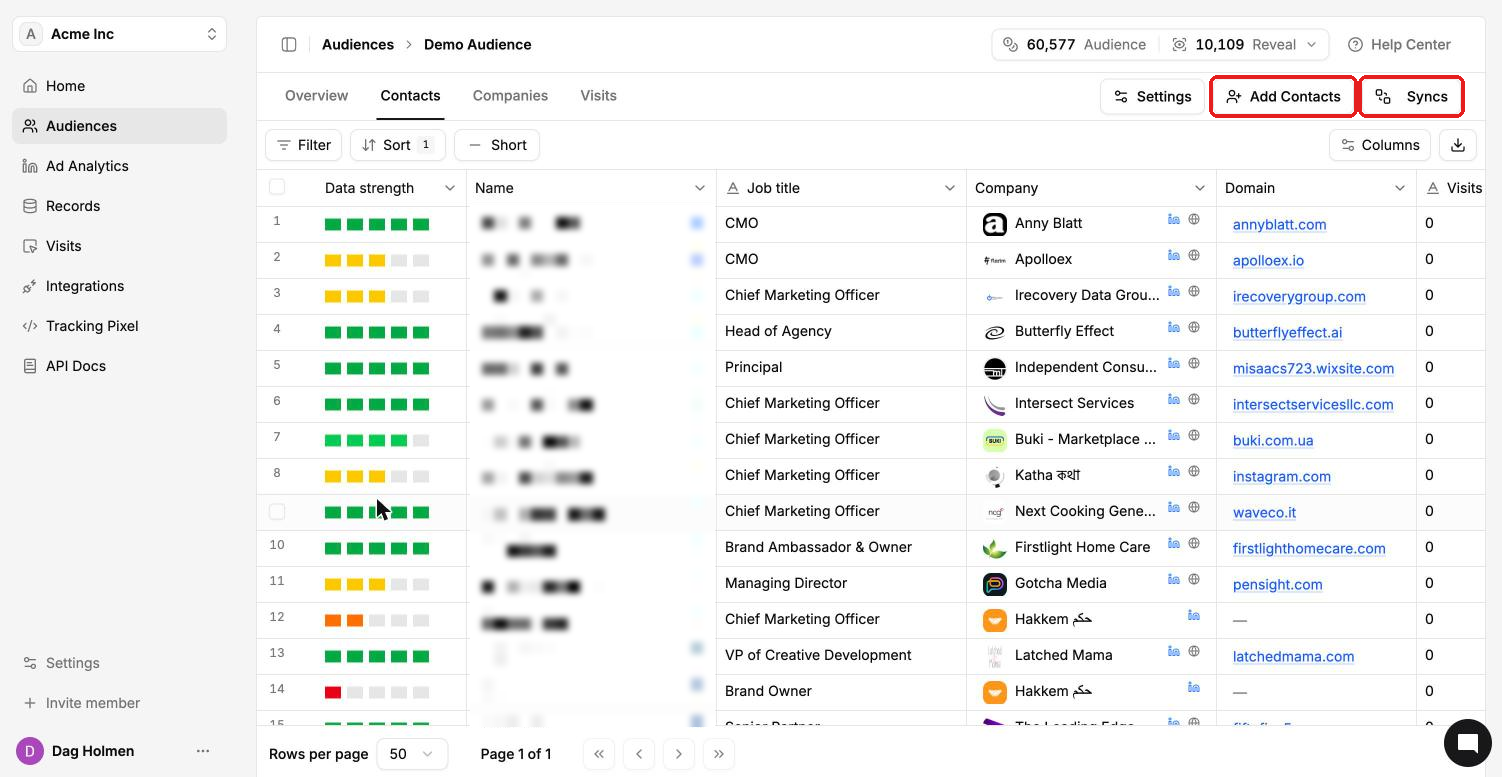
Every contact gets a data strength score from 0 to 5 bars. It reflects how much advertising data we found for that person.
5 bars: the full dataset, for example hashed email, mobile ad ID, zip code, location, age and gender.
3 bars or more: very good. These contacts are likely to match on the ad platforms.
Fewer bars: less data, so a lower chance the ad platform matches that person.
You see each contact's bars in the Data strength column on the audience's Contacts tab.
The Demographics view
Open the audience and go to Overview → Demographics.
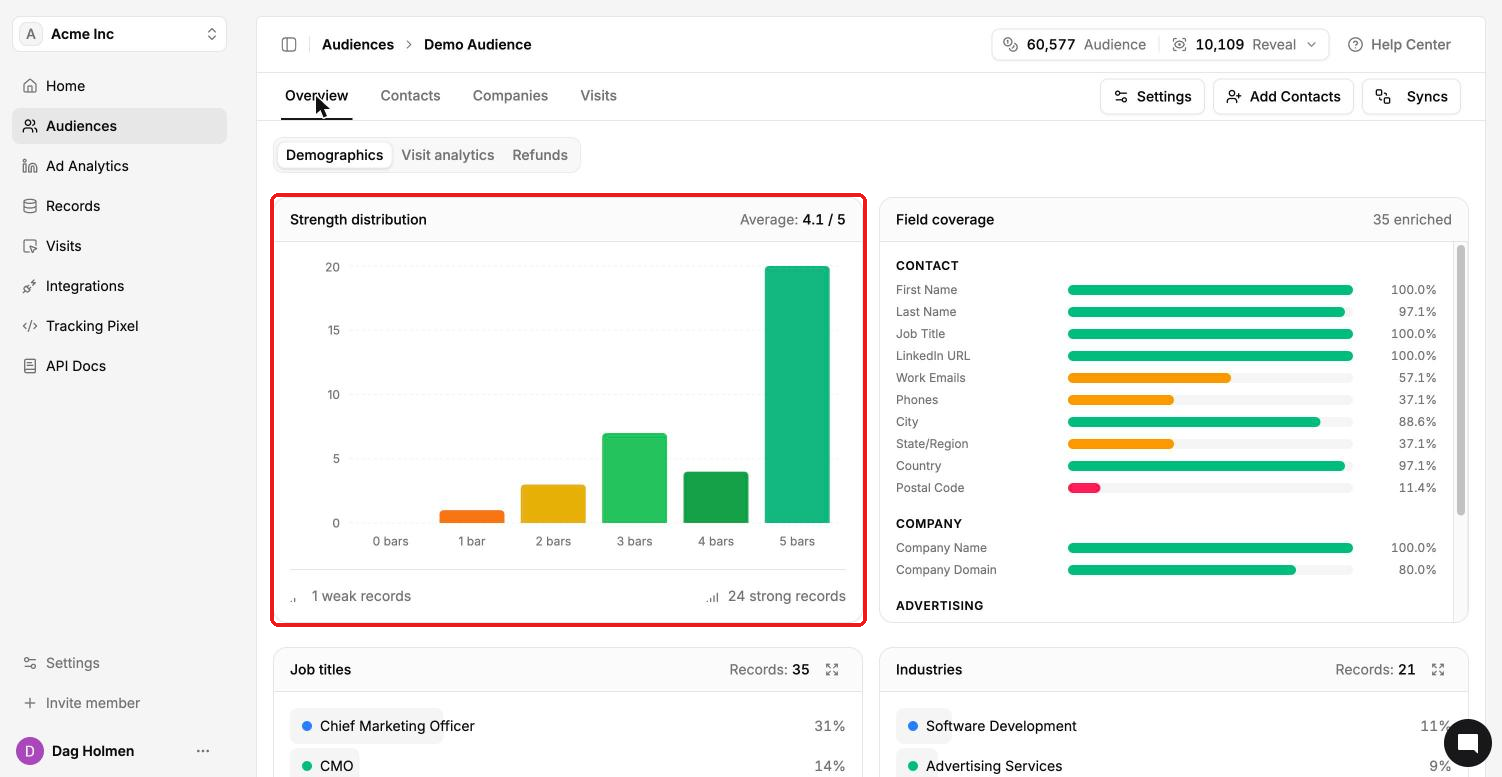
Strength distribution
This chart shows how many contacts sit at each level, from 0 to 5 bars, with the audience average in the top right. Under the chart you'll see the count of weak and strong records.
Field coverage
Field coverage shows the share of contacts that have each field filled in. It's grouped in three sections:
Contact: first name, last name, job title, LinkedIn URL, work emails, phones, city, state, country and postal code.
Company: company name and domain.
Advertising: personal emails, device IDs, age, date of birth, year of birth and gender.
The Advertising fields matter most for matching. Ad platforms match people on the identifiers they signed up with, which are often personal emails and device IDs rather than work emails.
Job titles and industries
Below the charts you'll find breakdowns of the most common job titles and industries. Use them to sanity-check that the audience contains the people you meant to target.
Visit analytics and Refunds
Visit analytics shows website visits from people in this audience. Refunds lists records that were refunded, with the credits refunded and the date, and you can export the list with the download button.
What to do with weak records
Check the source. A wrong or outdated LinkedIn URL or email can point to the wrong person or no one.
If a LinkedIn-URL-only import came back weak, re-import the same people with a Full Contact Import so we have fallback data.
Add more contacts. A bigger audience gives you more matched people even if some records stay weak.