Contact and company profiles
Click any contact or company in Records, an audience or a report to open its profile. It pulls together who they are, which audiences they're in and how they've interacted with your ads and website.
Contact profile
The left panel shows the person's name, title, company and location. Below that you'll find:
Contact details: email, phone, LinkedIn and domain. Click Edit to change them.
About: company, function, industry and location.
Tags.
The Overview tab shows a website visits chart with a date range, total clicks, a table of visits (audience, page, match and visit time) and the audiences this person is in. The Activity tab lists their activity over time.
Actions menu
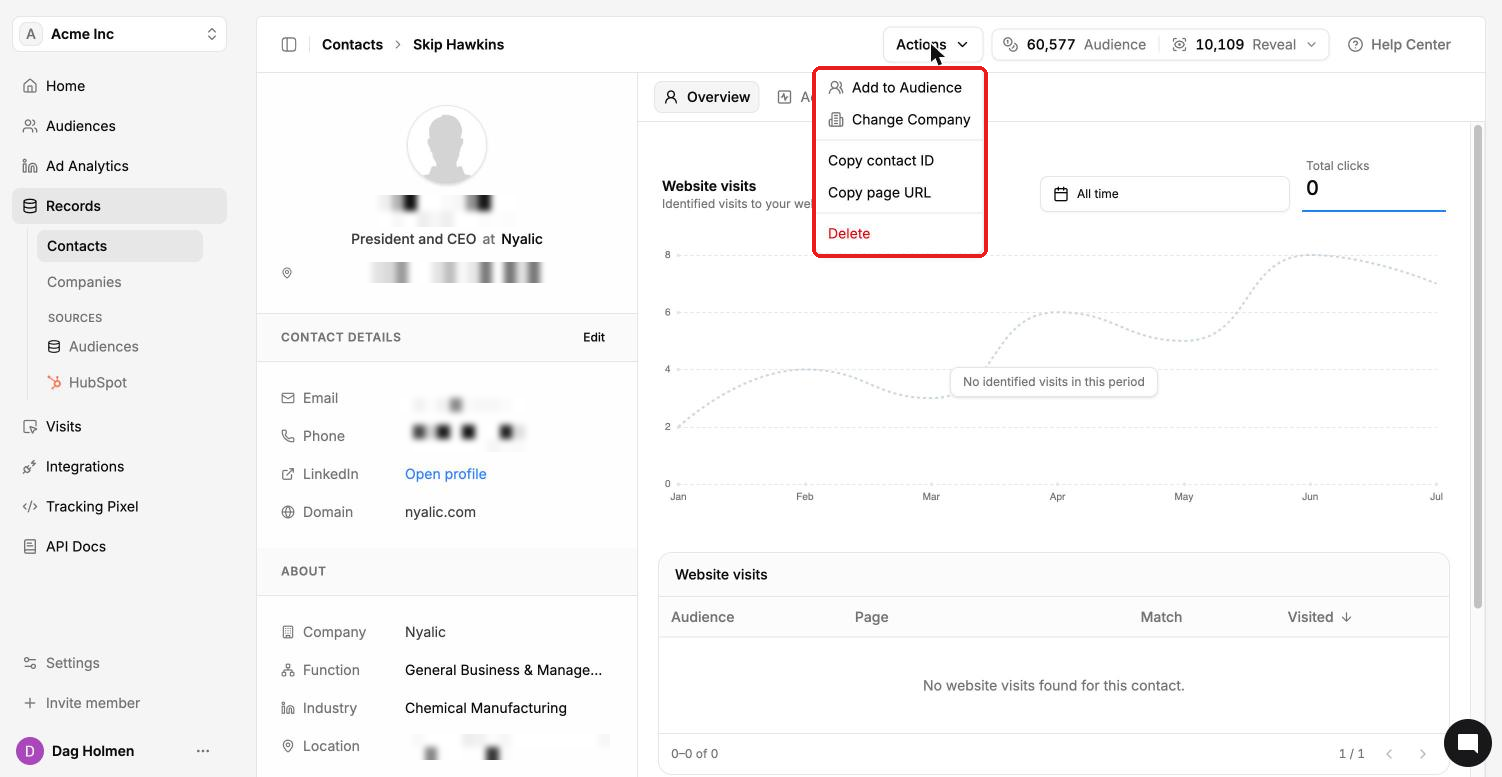
Click Actions in the top bar to:
Add to Audience: put this person in another audience.
Change Company: link the contact to a different company.
Copy contact ID or Copy page URL: handy for the API or sharing with a teammate.
Delete: remove the contact from your account.
Company profile
The left panel shows the domain, website and LinkedIn page, firmographics (industry, employees, revenue, founded, location) and system dates. Some firmographic fields can be empty when we have no data for that company.
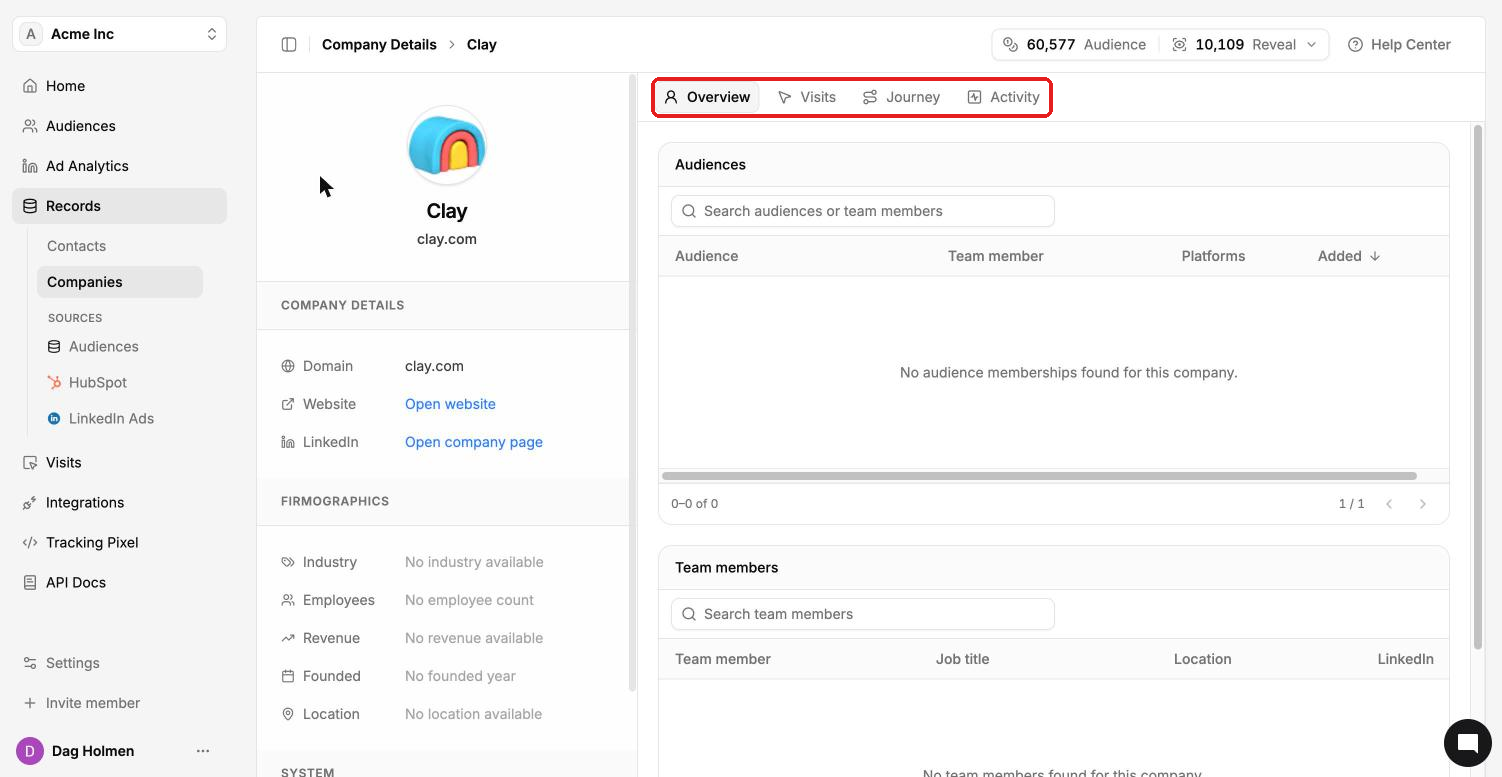
The profile has four tabs:
Overview: the audiences the company is in and its team members in your account.
Visits: website visits from people at this company.
Journey: how LinkedIn advertising lines up with the company's CRM journey.
Activity: an event log you can filter by date range and event type.
The Journey tab
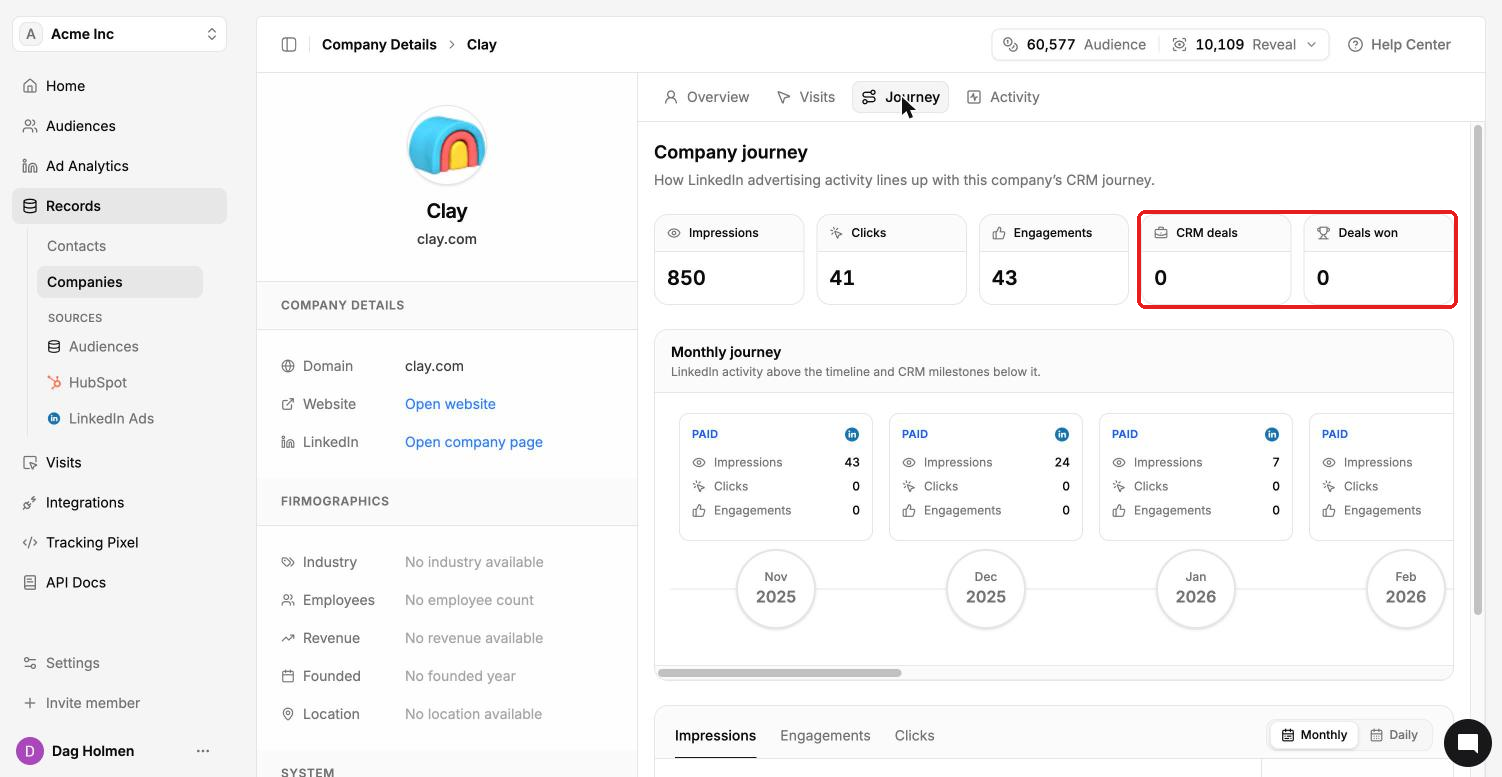
Journey puts your LinkedIn ad activity next to the company's deals. The top cards show impressions, clicks, engagements, CRM deals and deals won.
The monthly timeline shows LinkedIn activity above the line and CRM milestones below it. Under that, a chart shows impressions, engagements or clicks by month or by day. CRM deals and deals won need HubSpot or Salesforce connected.