
Setting your ICP and reading wasted spend
Tell ContactLevel who your ideal customers are, and Ad Analytics shows how closely your LinkedIn ads reach them. It also puts a dollar figure on the spend that goes to people outside your ICP.
How ICP alignment works
You describe your ICP in ICP Settings. ContactLevel pulls the demographic breakdowns LinkedIn Ads reports for your campaigns and compares them to that ICP. The result is your ICP alignment on the Overview page.
ICP Settings are used for ICP alignment in Ad Analytics.
Fill in ICP Settings
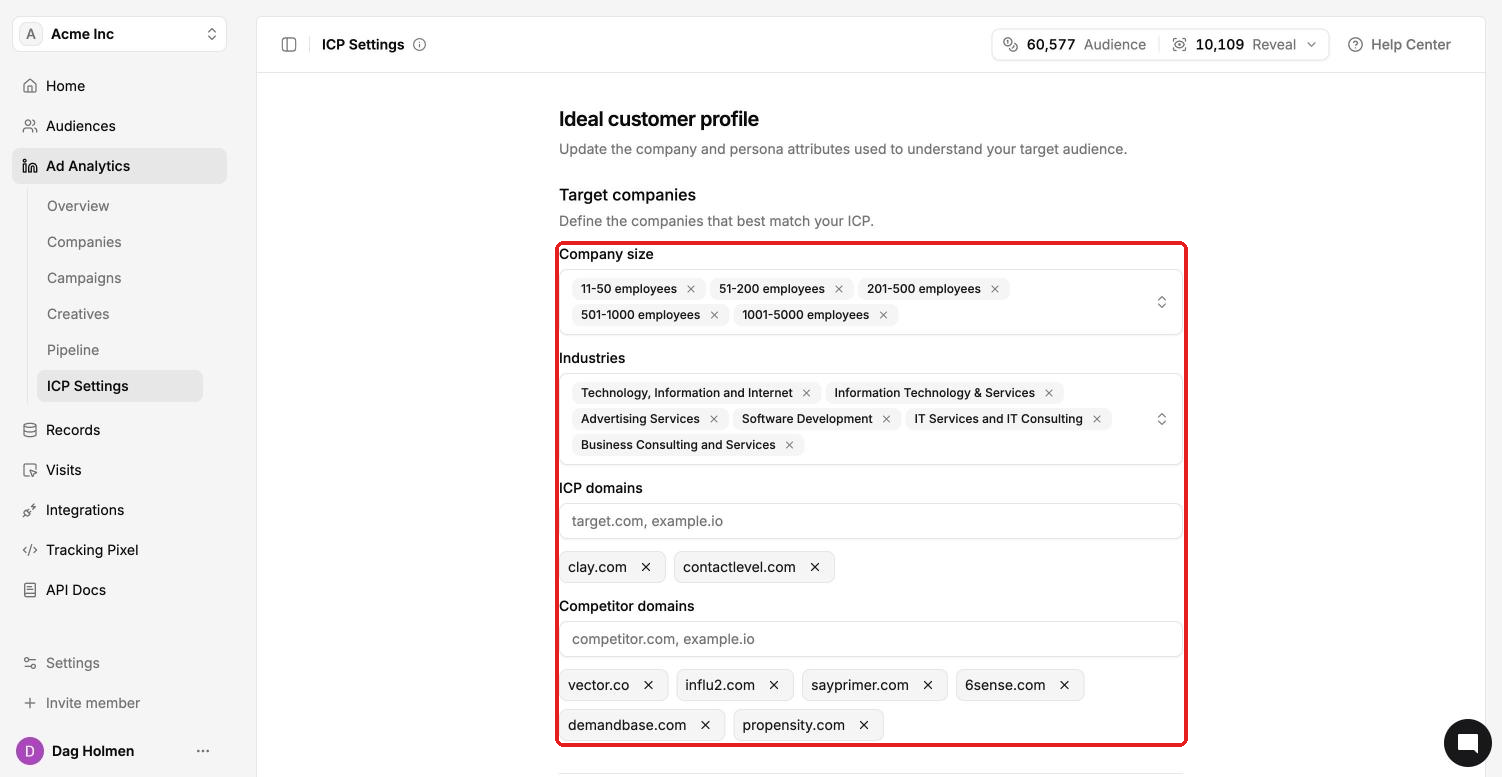
Go to Ad Analytics → ICP Settings. You can also click Edit ICP on the Overview page.
Under Target companies, choose Company size ranges and Industries.
Add ICP domains: the websites of companies you want to reach, for example
target.com.Add Competitor domains.
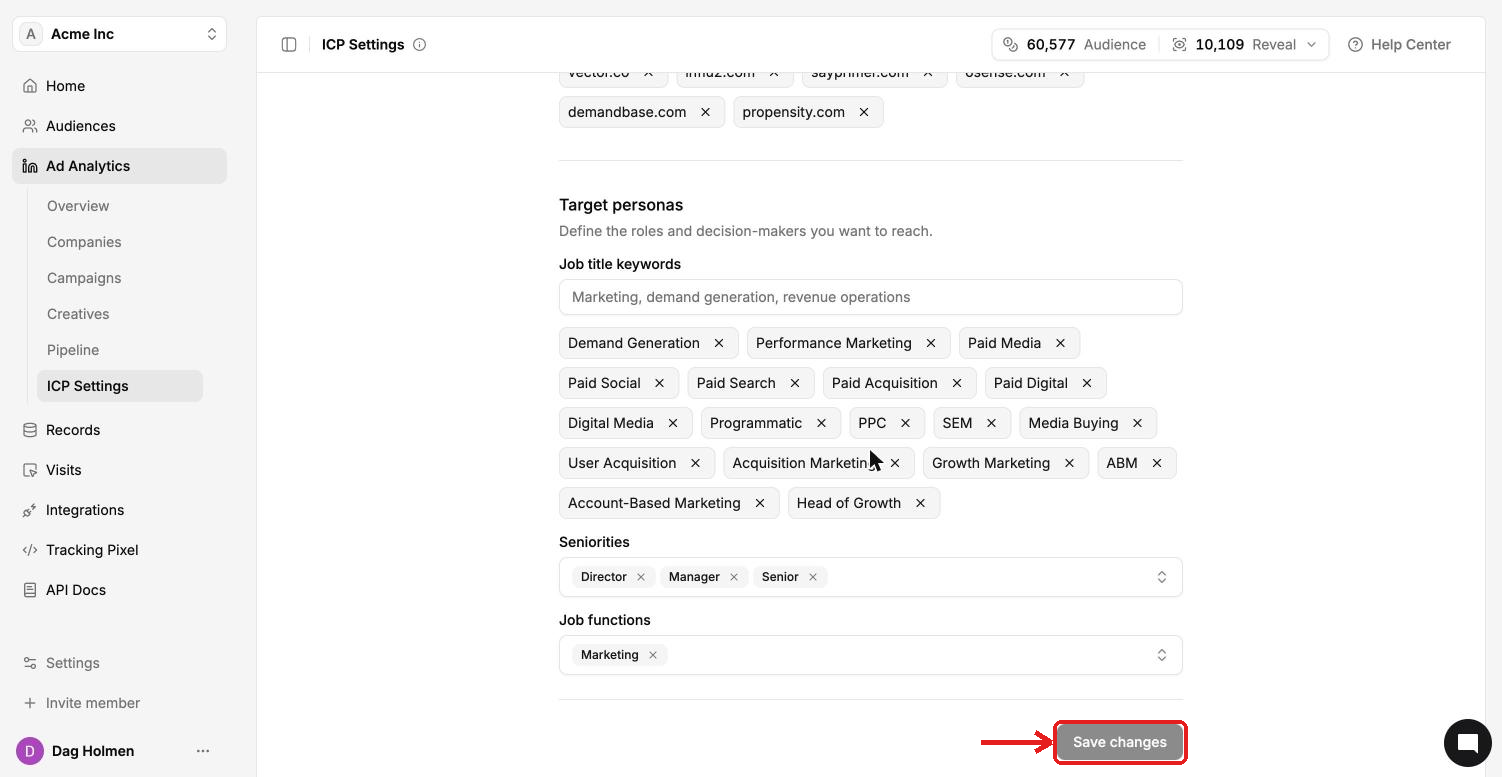
Under Target personas, add Job title keywords, for example "Demand Generation" or "Paid Media".
Choose Seniorities and Job functions.
Click Save changes.
Reading ICP alignment
On Ad Analytics → Overview, the ICP alignment card shows:
ICP match: the overall share of your audience that fits your ICP.
ICP impression share, ICP click share and ICP engagement share.
Target companies and Target people percentages.
A match score per criterion: Industries, Company sizes, Seniorities and Job functions. The lowest score tells you where targeting drifts most.
Reading the targeting opportunity
The Targeting opportunity card shows "$X spent outside your ICP". This is your measured demographic gap applied to your actual LinkedIn campaign spend. Overlapping criteria are not double-counted.
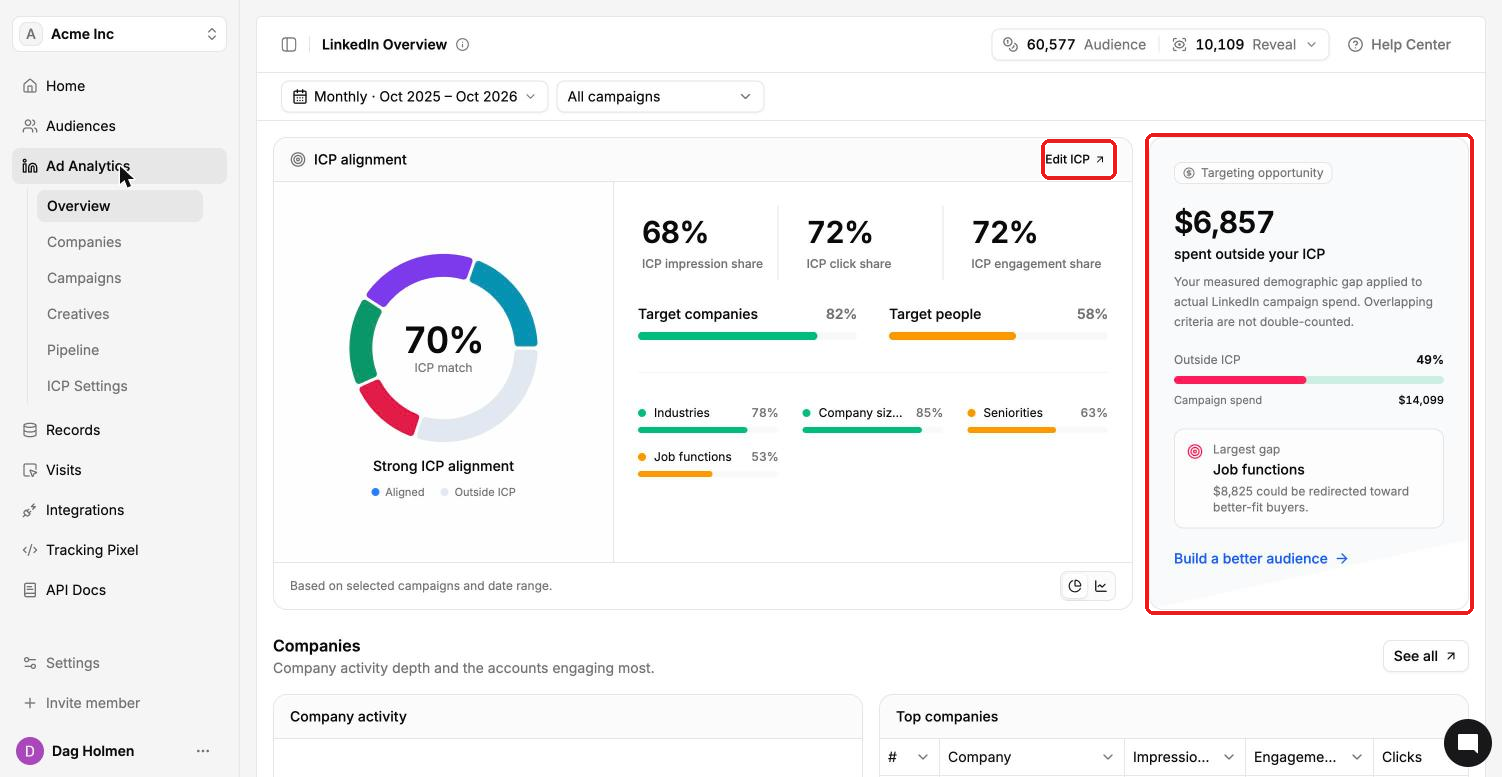
Outside ICP: the share of spend outside your ICP, next to total Campaign spend.
Largest gap: the criterion with the most spend that could be redirected, for example Job functions.
Build a better audience: a shortcut to building a tighter audience.
All numbers follow the date range and campaign filter at the top of the page. The Home page uses its own default range, so its figures can differ.