The Integrations page: statuses, testing and disconnecting
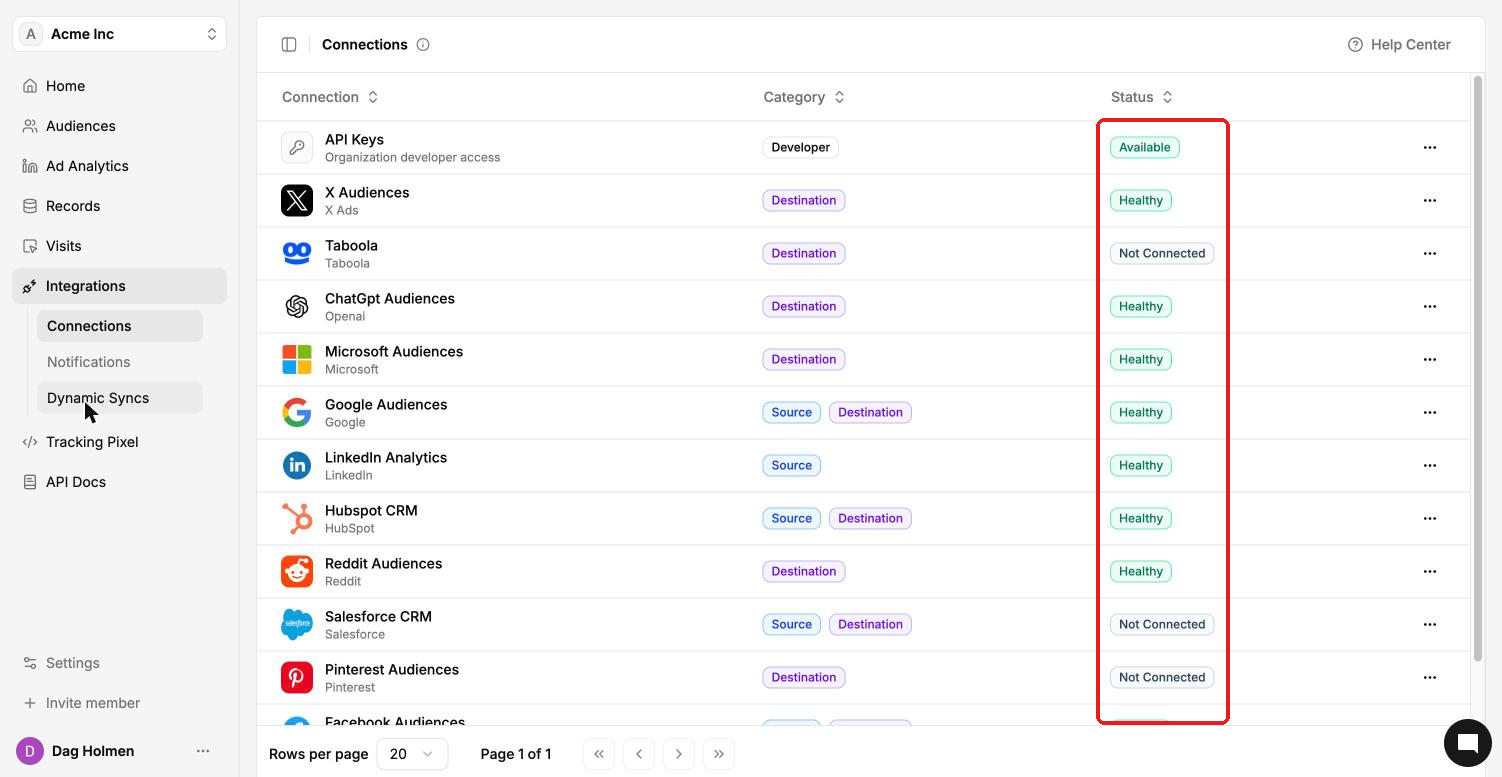
Integrations → Connections lists every ad platform, CRM and developer tool you can connect to ContactLevel. Each row shows what the connection does and whether it's working.
Categories
Destination: ContactLevel sends data there, for example audiences synced to an ad platform.
Source: ContactLevel pulls data from it, for example LinkedIn Analytics or your CRM.
Developer: API Keys.
Some connections are both. Google Audiences, Facebook Audiences, HubSpot CRM and Salesforce CRM are source and destination.
Statuses
Healthy: connected and working.
Not Connected: not set up yet.
Available: ready to use. API Keys shows this status.
Connect a platform
Open the row menu next to the platform and click View details.
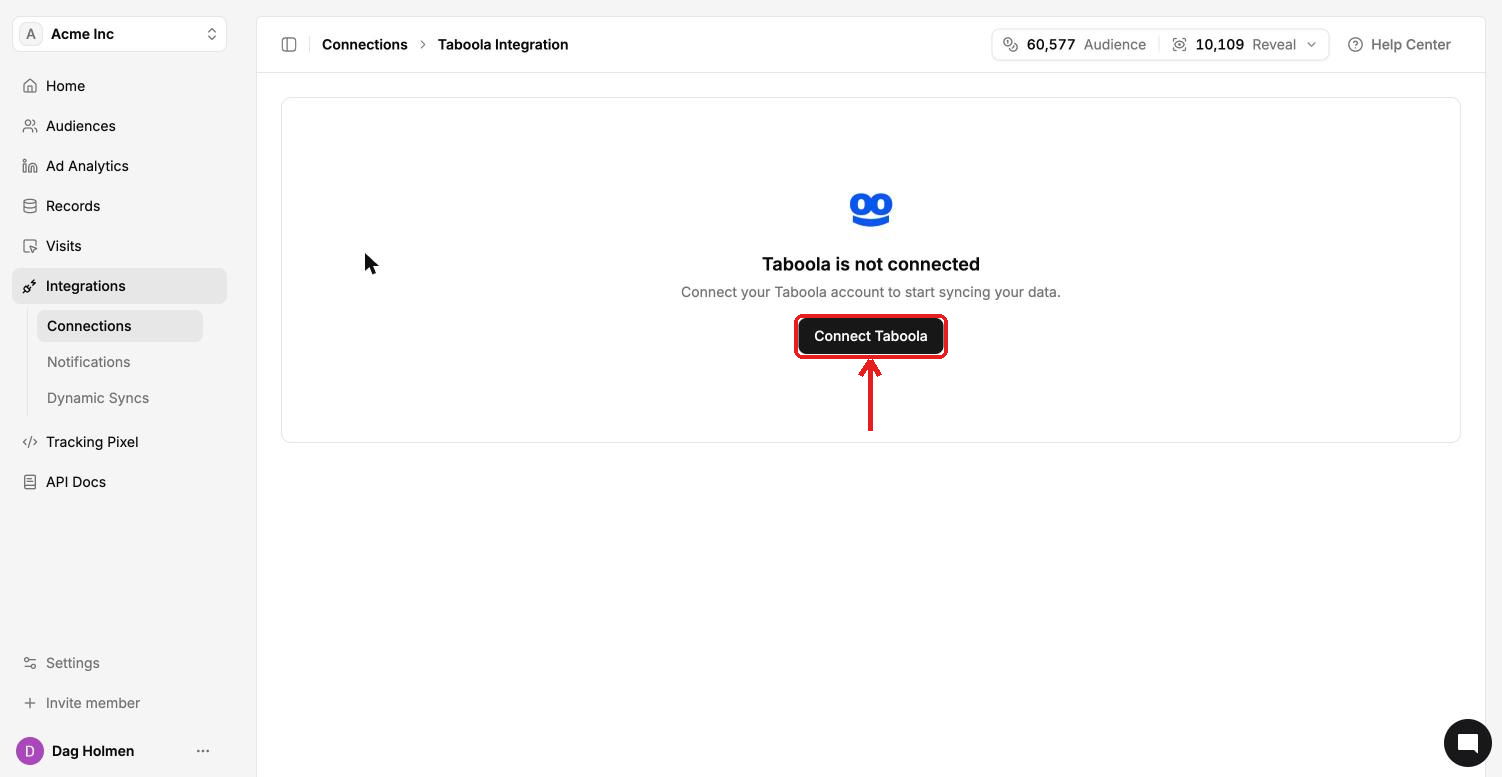
Click Connect <platform>, for example Connect Taboola.
Log in to that platform and select the account to use.
Test or disconnect a connection
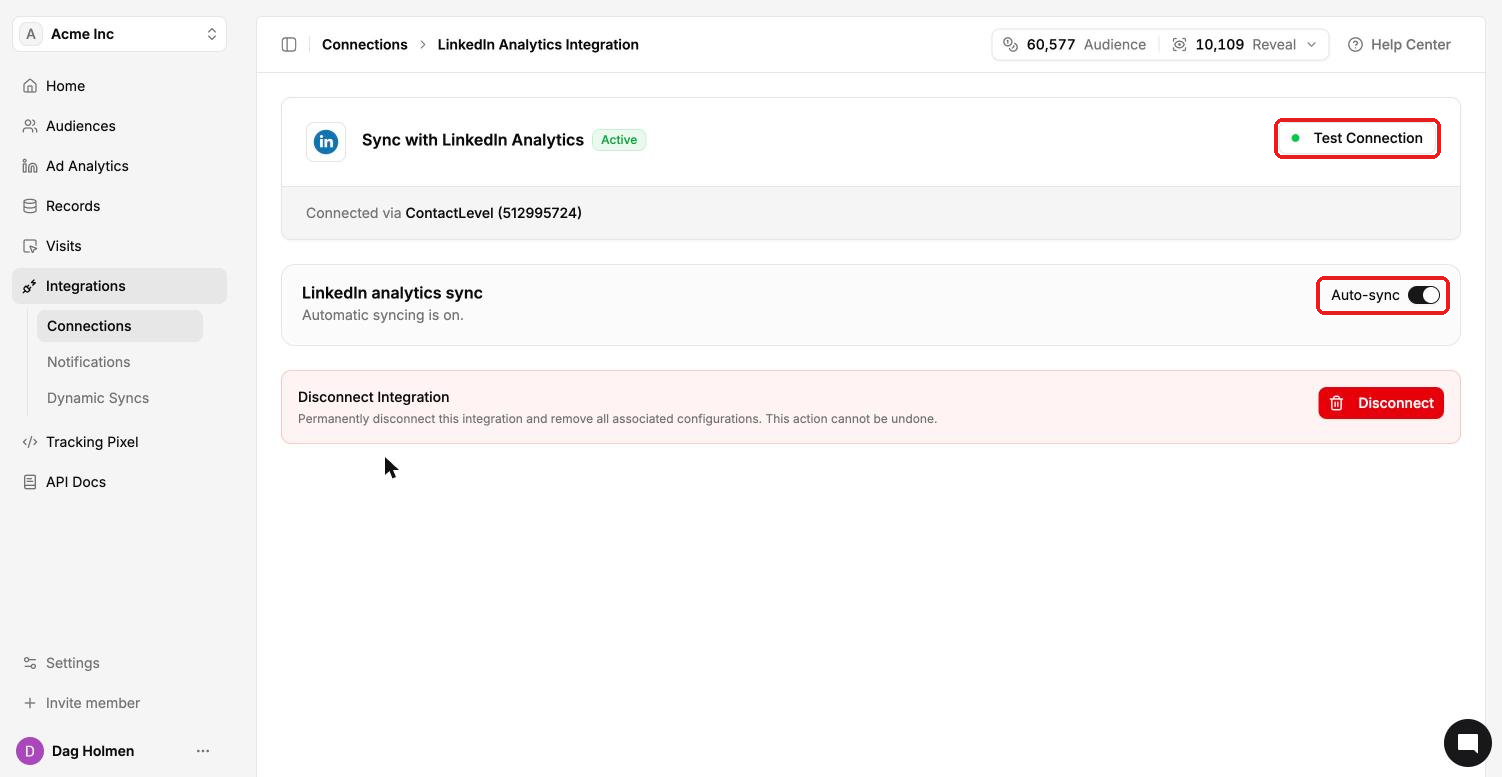
Open a connected integration with View details. The page shows "Sync with <platform>" marked Active and the account it's connected to.
Test Connection checks that the connection still works. Try it first if a sync fails.
Some integrations have their own settings. LinkedIn Analytics has an Auto-sync toggle, and HubSpot and Salesforce have field mapping and Sync to CRM.
Disconnect permanently removes the integration and all its settings. This can't be undone.