
Connecting your ad accounts
Connect an ad account once and every audience you build can sync to it. All nine platforms connect the same way: you log into the ad platform, approve access and pick the ad account ContactLevel should send audiences to.
Platforms you can connect
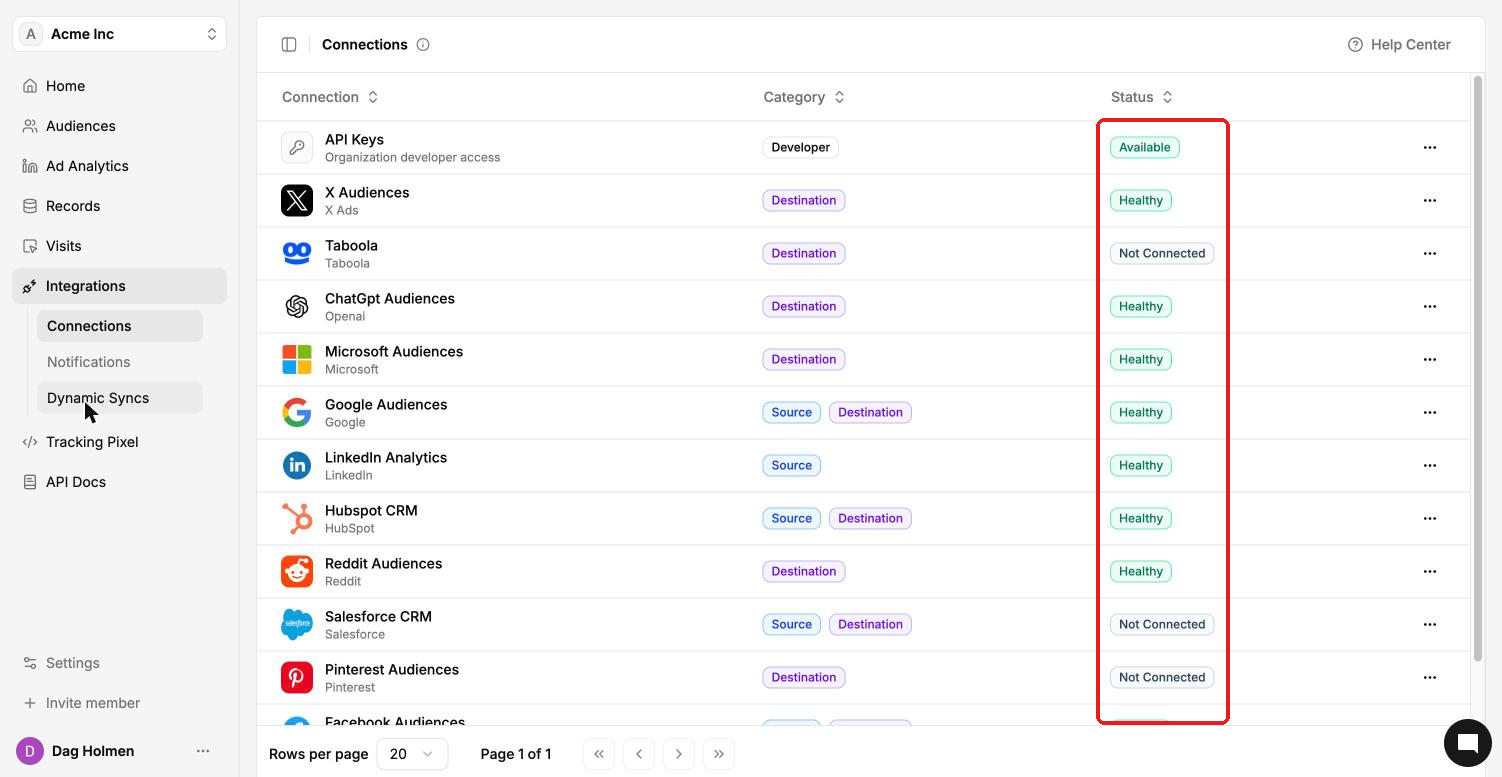
Each platform appears as its own row under Integrations → Connections:
Facebook Audiences (Meta: Facebook and Instagram)
Google Audiences
LinkedIn Audiences
Reddit Audiences
X Audiences
Pinterest Audiences
Microsoft Audiences
ChatGPT Audiences (OpenAI)
Taboola
LinkedIn has two separate rows. LinkedIn Audiences sends your audiences to LinkedIn Campaign Manager. LinkedIn Analytics pulls your campaign data into Ad Analytics. Connect both if you use both.
Connect a platform
In the left sidebar, go to Integrations → Connections.
Find the platform. The Status column shows Not Connected for platforms you haven't set up yet.
Click the ⋯ menu at the end of the row and choose View details.
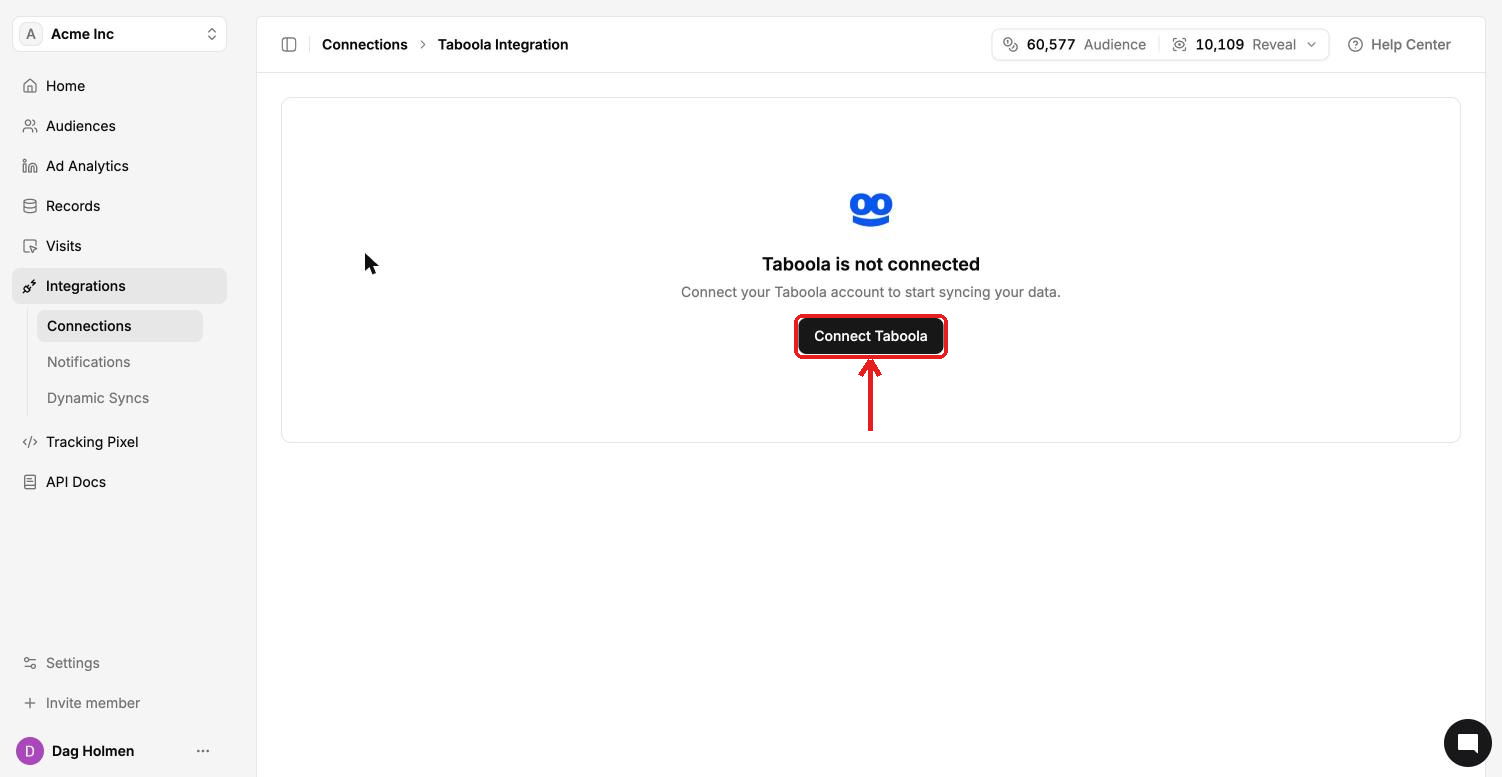
Click Connect <platform>, for example Connect Taboola.
Log into the ad platform with an account that has access to the ad account you want to use, and approve the request.
Select the ad account ContactLevel should sync audiences to.
When the connection works, the status changes to Healthy. Behind the scenes, ContactLevel uses Polytomic as its sync provider, so you may see that name during the login step.
You can also connect from inside an audience. Open the audience, click Syncs, and click Connect next to any platform that shows Not Connected.
Check or remove a connection
Open the platform's detail page from View details. It shows which account you're connected through and a Test Connection button. Use it first when a sync fails.
Disconnect permanently removes the integration and its configuration. It can't be undone, so you'll need to connect again from scratch.
Agencies and sub-organizations
Each sub-organization connects its own ad accounts. Connections made in your agency organization don't carry over to client sub-organizations, so switch to the client's organization first and connect there.